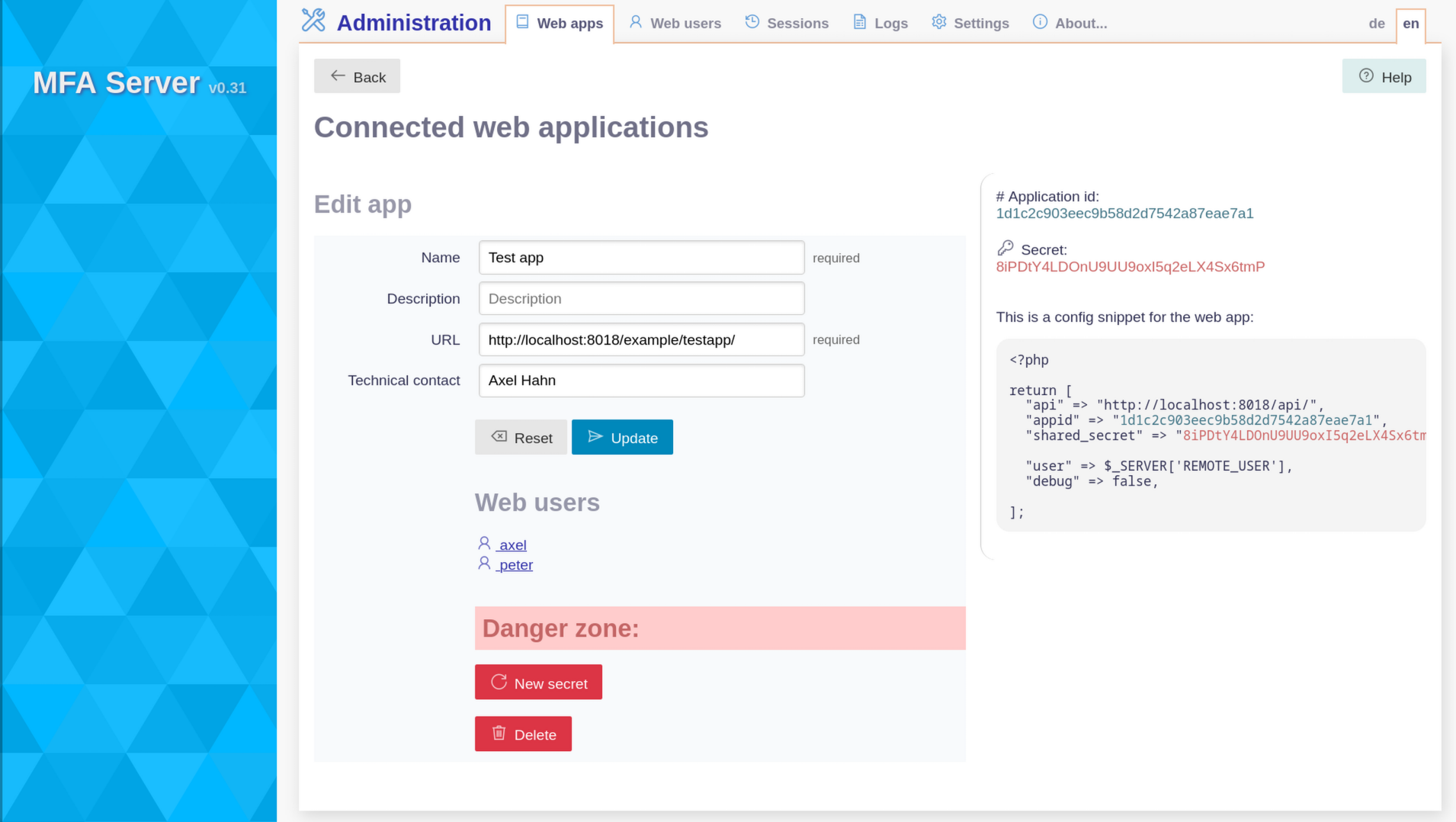
Webapps
New
Add a new web app by clicking the + sign in the overview page the form
You need to enter minimum 2 fields:
- a name
- an url
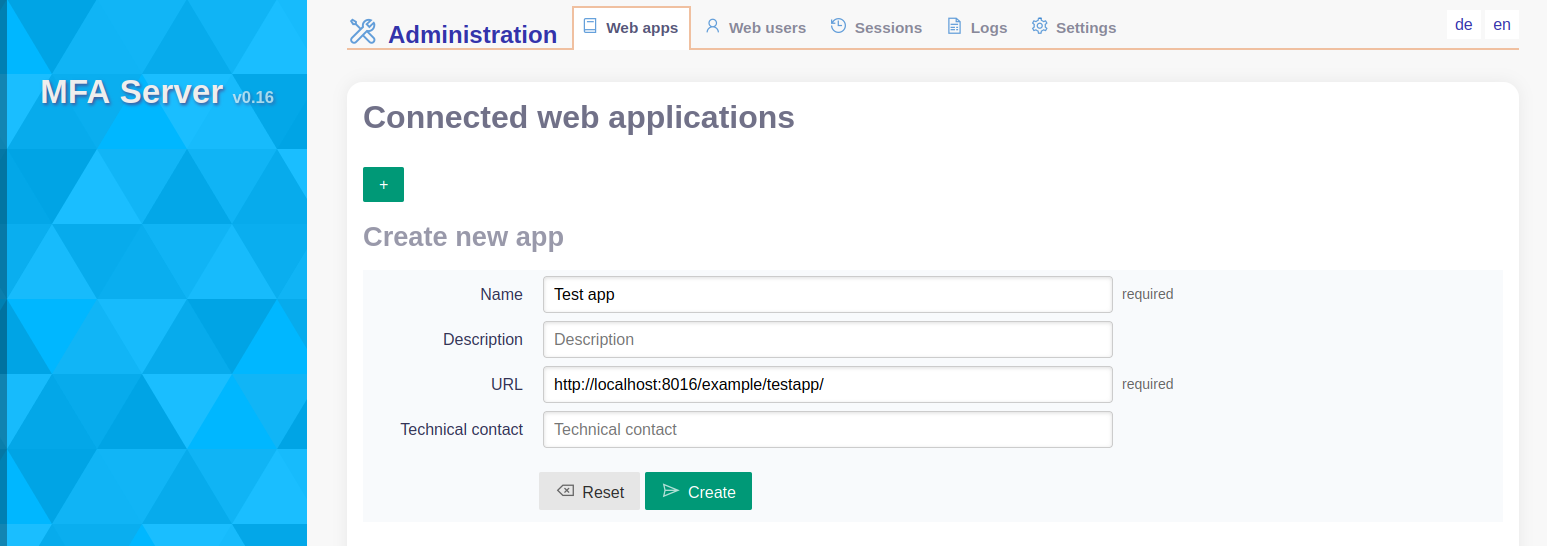
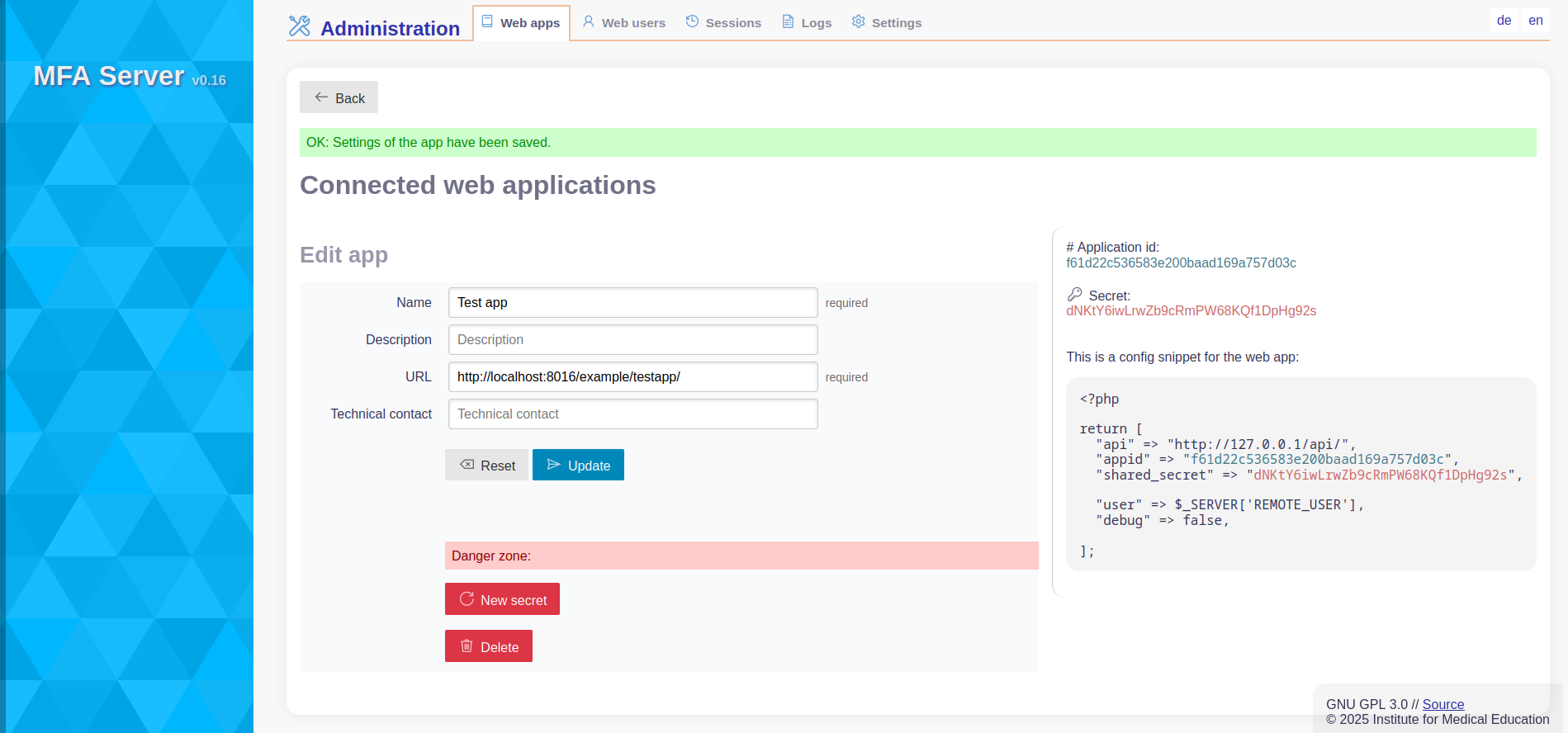
After pressing [Create] you are done.
You get an edit dialog of your created app.
Overview
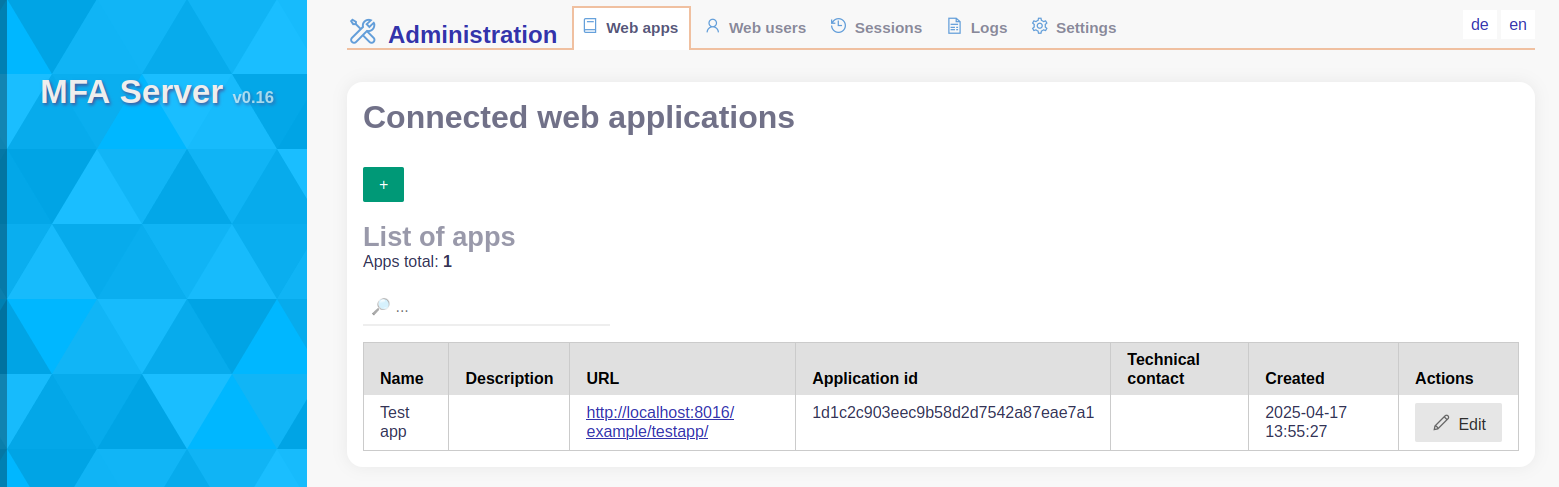
You see a list of web apps that were created.
Options:
- Add a new web app by clicking the
+sign to se the form - Edit an existing app by click Edit` in the action column. Then you can
- Edit some application metadata (including its url)
- view appid and secret to configure the client
- recreate the application secret
- delete an application
- filter view by adding keywords in the filter line on top of the table. You can type multiple keywords that will be applied with AND condition
Edit
If you pressed [Edit] in the overview page next to an app you get ino its edit form.
What you get here:
-
a form to update the details for the app
-
below is a list of users of this app. Clink on a linked name to see user details 👉 See Web users
-
On the right are details for the mfa client to enable the communication between the web app and the Mfa server
- application ID
- application specific secret
In a read area are dangerous functionalities
- Create a new secret
- Delete the application